Import and Publish AI Studio Projects
Import and Publish AI Studio Projects
Talizen supports quickly importing AI Studio projects and deploying them as live websites without complex setup.
Steps
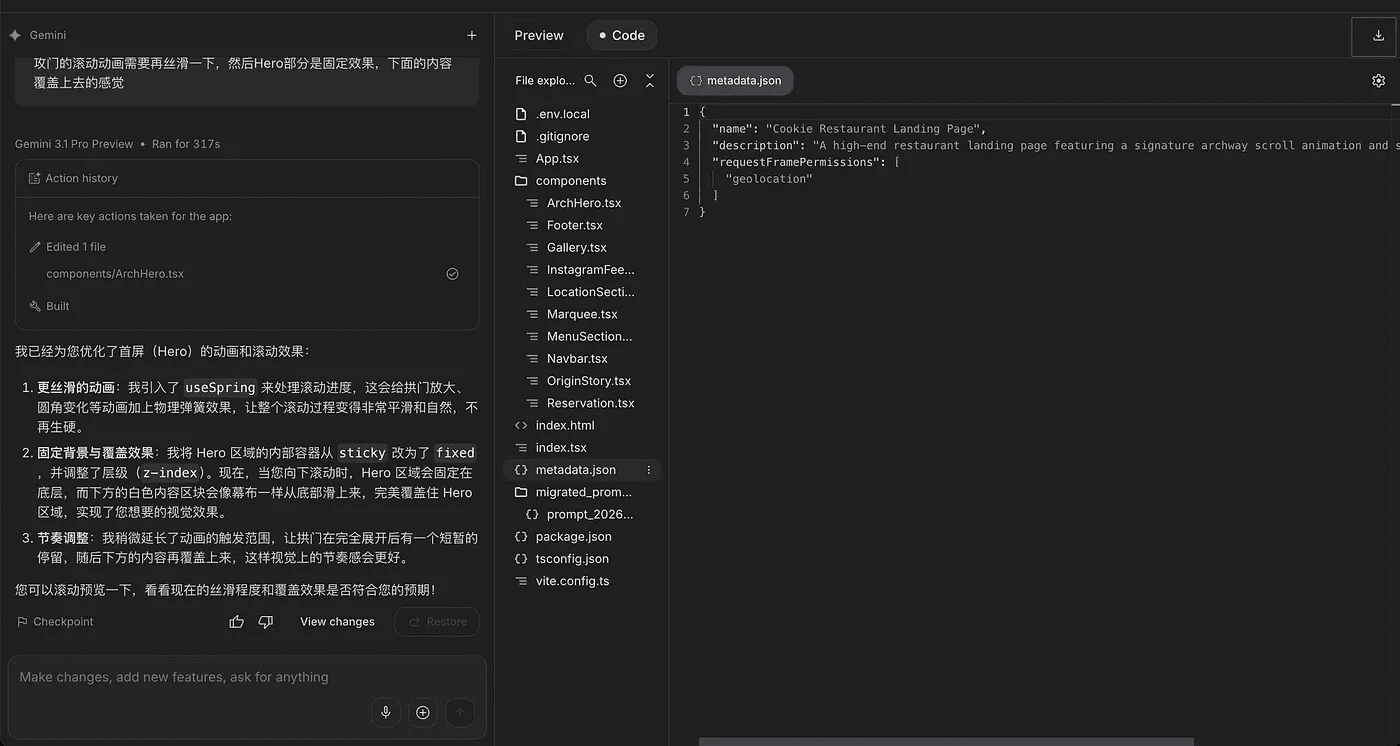
1. Download the project files
Export your project from AI Studio and download it as a .zip package.
2. Upload and import the project
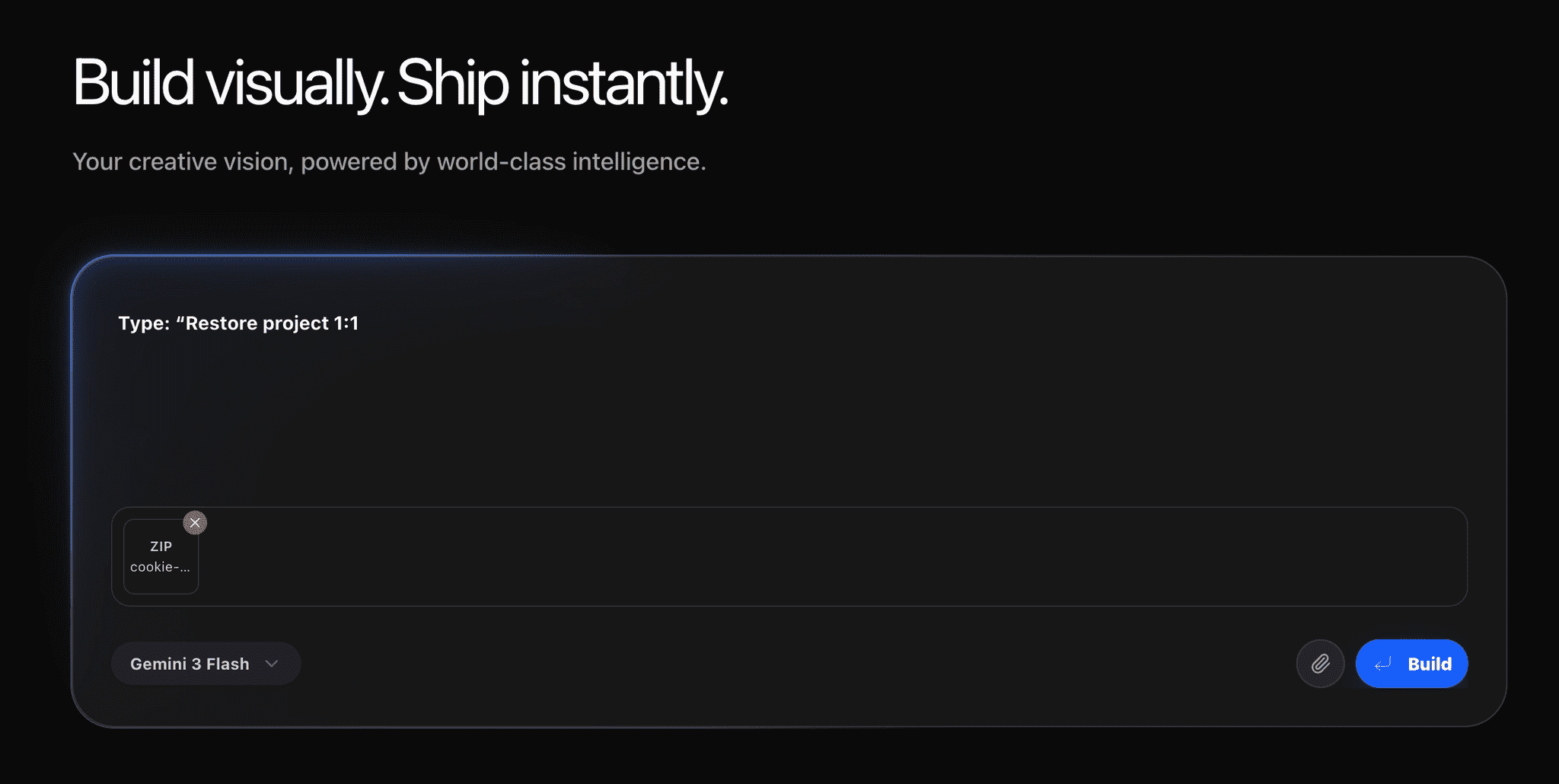
Open the Talizen editor, upload the downloaded ZIP package in the chat, and enter: Restore project 1:1.
Talizen AI will parse the project structure and restore it automatically.
3. Publish with one click
After the import is complete, click Publish. Talizen will build and deploy the site, then generate a live URL.
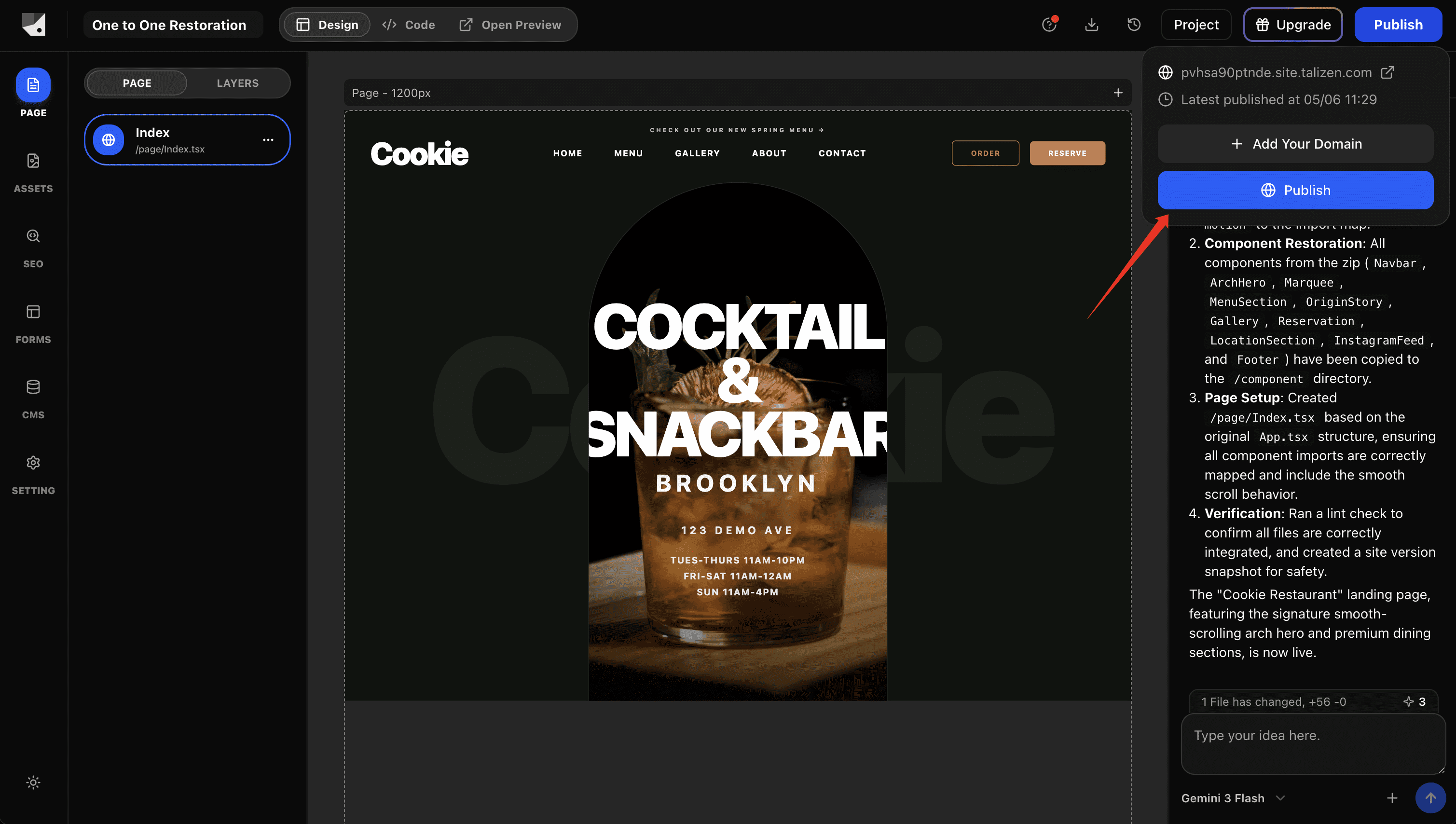
Result
Project structure restored, including pages, components, and styles.
No manual environment setup required.
Automatic deployment with global access.
Live link generated immediately.
Tips
Make sure the ZIP package contains the complete project structure and all assets.
If the package is larger than 10 MB, unzip it first and remove historical chat documents before compressing it again.